
01 / 08
Phone calls
- Inbound and outbound calls on your connected Tata Smartflo or Twilio account
- Schedule calls, or reach a contact list in bulk
- Review available recordings, transcripts and summaries
YONA / BY HILOOX
Product
Your AI agent for phone calls, WhatsApp and the tasks that follow a conversation.
Explore Yona
AI phone & WhatsApp agent / by Hiloox
Customer conversations, meet your next step. Bring calls, WhatsApp and everyday business tasks together with Yona.
 Move your mouse. Drag or tap the ball.
Phone callsScripted example
“Can I book a visit tomorrow?”Let’s find a time that works for you.What is Yona?
Answer questions, gather customer details and complete routine tasks across phone calls and WhatsApp with Yona.
Yona finds the answer in your business information. A helpful answer.
More than a conversation
Explore the ways Yona can support your business, from the first hello to the next useful step.
Channels, integrations and CRM options are confirmed for each use case with your team, and depend on your accounts and plan. WhatsApp use follows Meta’s WhatsApp Business Platform policies.
Inside Yona
1 / 6
Track calls and WhatsApp messages side by side, with volumes, answer rates, minutes and your top agents.
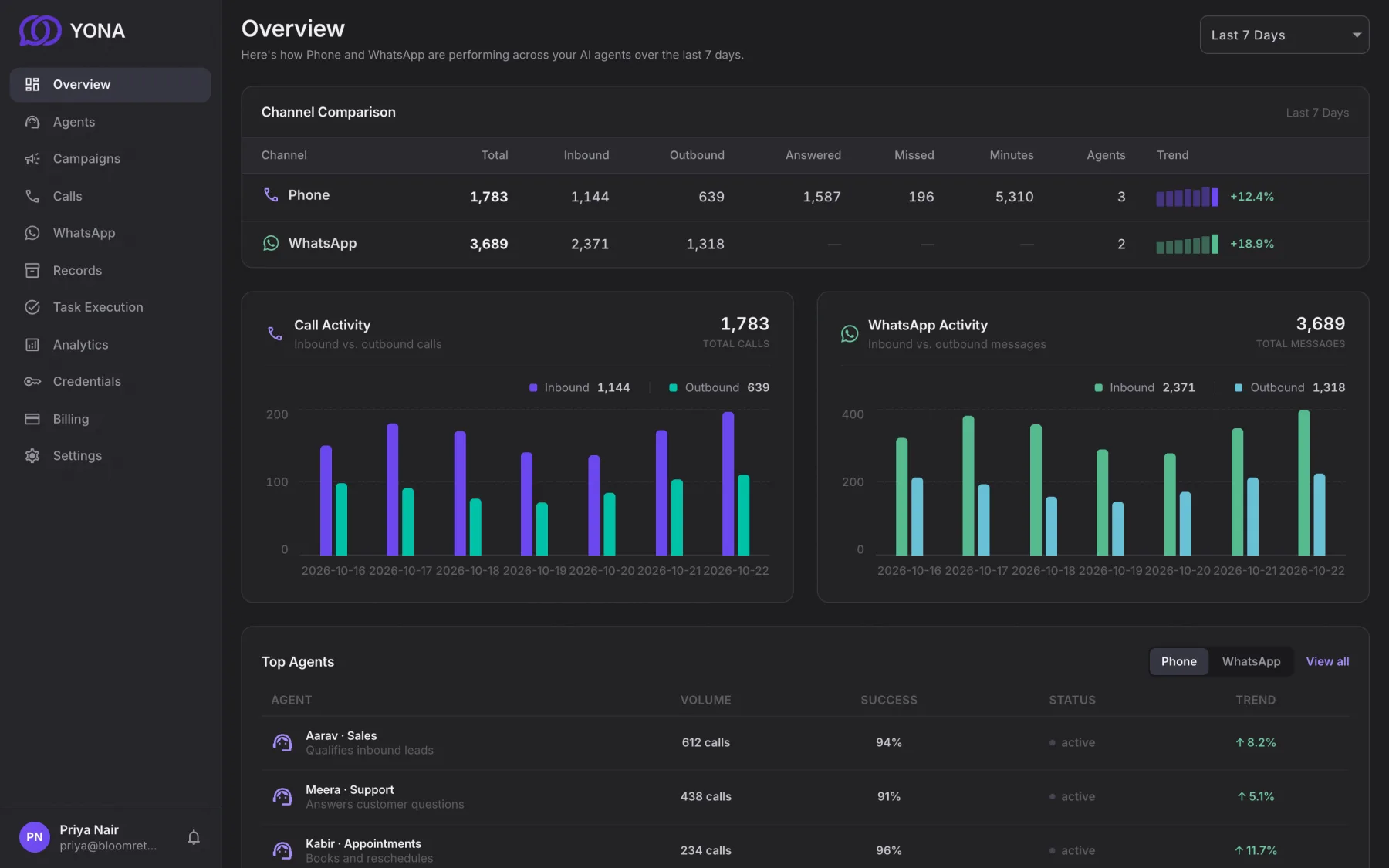
Screens show the Yona app with sample data for illustration.
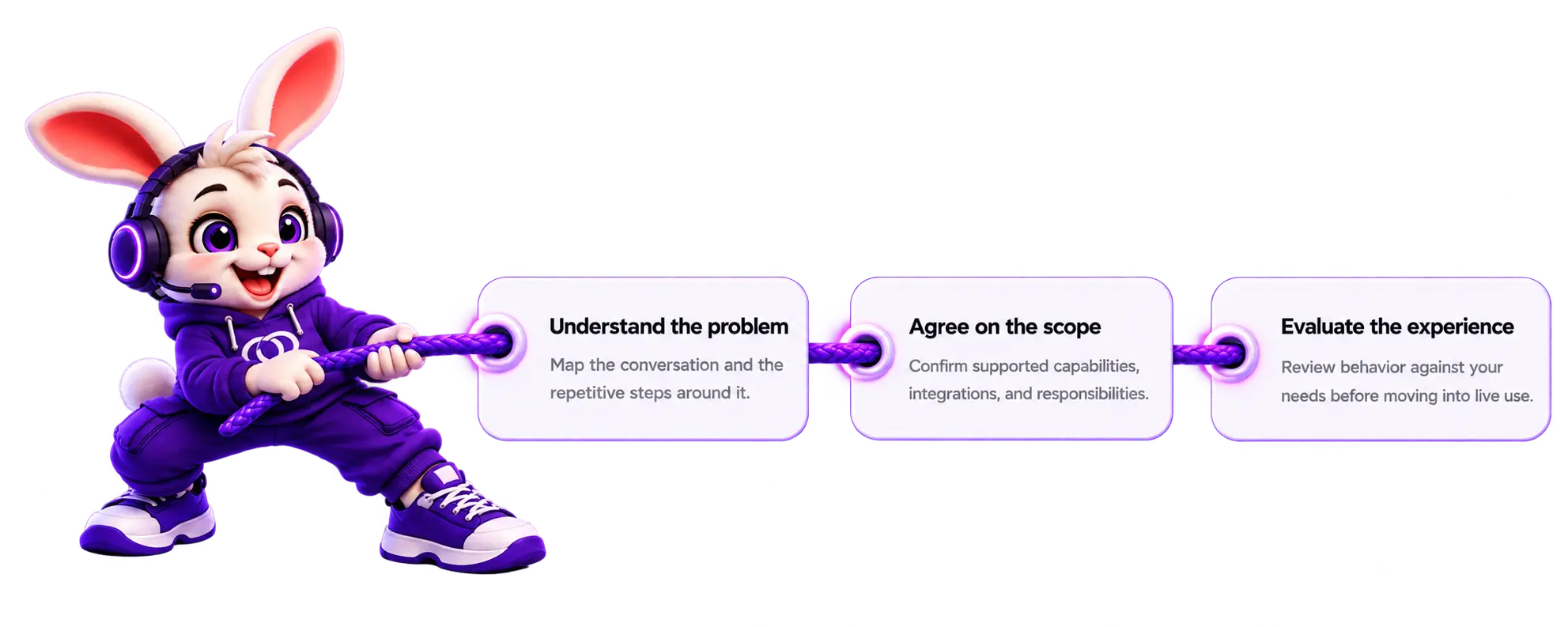
From hello to helpful
Start with a clear purpose.
Build the right setup together.
Try Yona / Sample conversations
This is a scripted, text-only demonstration. No microphone, real call, booking, or API request is used.

Listen. Understand. Respond.
Choose a scenario and continue the example to see how a configured agent could help.
Example customerWhat can you help me with?
Yona · simulated responseI can help with common questions about your business. What would you like to know?
Yona on WhatsApp
Yona’s WhatsApp agent takes customer messages and calls on WhatsApp Business, answers from your own knowledge sources, and completes routine tasks, so your team can focus on the conversations that need a person.
Help customers with routine questions and pass conversations to your team when a person is needed.
Customers can call Yona on a supported WhatsApp Business number. Outbound WhatsApp calls are not supported.
Add your website, PDFs, documents or text, and the agent answers from them.
Goes beyond answering: books appointments, updates your CRM and sheets, and triggers the next step in your workflow.
Knowledge source types, tasks and integrations are confirmed for each use case with your team. WhatsApp usage follows Meta’s WhatsApp Business Platform policies.
Support your team
Help customers find service information using the sources you provide.
Collect the customer’s needs and contact details before your team takes over.
Move bookings and lead details into your connected calendar, CRM or spreadsheet.
Platform
Manage phone and WhatsApp conversations with an agent configured for your business.
Book appointments and update records through the tools you connect.
Choose a voice and supported languages for the customers you serve.
Review call volumes, answer rates, minutes and message activity.
Connect supported actions to your own systems and workflows.
Use your website, documents, FAQs and policies as sources for answers.
Review available transcripts and summaries to understand what happened.
Try sample conversations and review agent behaviour before going live.
Pass enquiries to your team with a summary and a clear next step.
We confirm supported actions and account requirements for your setup.
Everyday workflows
Examples of routine work Yona can help with when the required knowledge and tools are connected.
| Workflow | When handled manually | With YonaConfigured for your business |
|---|---|---|
| Common questions | Look up and repeat information | Answer from connected business knowledge |
| Appointment enquiries | Exchange messages to find a suitable time | Check a connected calendar and book a slot |
| Lead capture | Collect details and enter them into a CRM | Capture requirements and update a connected CRM |
| Follow-up context | Write a summary for the next person | Share conversation context with your team |
| Complex enquiries | A team member assesses the situation | Hand over to a person using your escalation rules |
Example use cases
Illustrative scenarios showing how a configured agent could support your business.
A customer asks for an appointment. Yona checks a connected calendar, offers available times and records the booking.
Appointment-based services
SchedulingA shopper asks about a returns policy. Yona uses the business’s knowledge sources to explain the process and routes exceptions to the team.
Retail & ecommerce
Customer supportA prospect asks about a service. Yona collects their requirements and creates a lead in a connected CRM for the team to follow up.
Sales & service teams
Lead captureFrequently asked questions
The examples on this page are scripted, text-only simulations. They do not use your microphone, place calls or make bookings. Request a demo to discuss a live demonstration with the Hiloox team.
Yes. You can add website pages, PDFs, documents, FAQs and text as knowledge sources. Keep those sources up to date and review the agent’s answers before launch.
Connections include Google Calendar and Sheets, CRMs such as HubSpot, Zoho, Salesforce, Dynamics 365 and Pipedrive, and your own APIs and webhooks. We confirm the required accounts, permissions and supported actions for your setup.
Yona supports inbound and outbound phone calls through a connected Tata Smartflo or Twilio account. On WhatsApp, it handles messages and incoming calls; it does not place outbound WhatsApp calls. WhatsApp calling availability depends on your Business account.
You define the handoff rules. Yona can pass the enquiry and a summary to your team by email, phone or WhatsApp, with a message explaining the next step to the customer.
Yona supports multilingual conversations. Tell us which languages and voice you need so we can confirm support and review examples for your use case.
Share your use case, channels, expected conversation volume and integrations with Hiloox. We’ll discuss the setup and pricing with you before you decide how to proceed.
Request a demo
Tell us about your business, the conversations you handle and the tools you use. We’ll discuss the right setup and arrange a demonstration with you.
HELLO, POWERED BY AI.